Software comparison · Mechanical drawing reviews
Five Flute vs PDF Engineer: Shared Engineering Reviews or Desktop Redlines?
Choose Five Flute when your main problem is coordinating engineering reviews, assigning changes, and tracking decisions. Choose PDF Engineer when you need to author mechanical PDF redlines locally and hand them into an existing review process.
Updated October 9, 2026 · Written by PDF Engineer
This comparison is published by PDF Engineer. Competitor details come from official vendor pages; recommendations reflect workflow fit, not a hands-on performance benchmark.
Where each tool fits
PDF Engineer
Mechanical drawing redlines with GD&T feature control frames, BOM balloons, flag notes, weld symbols, and leaders.
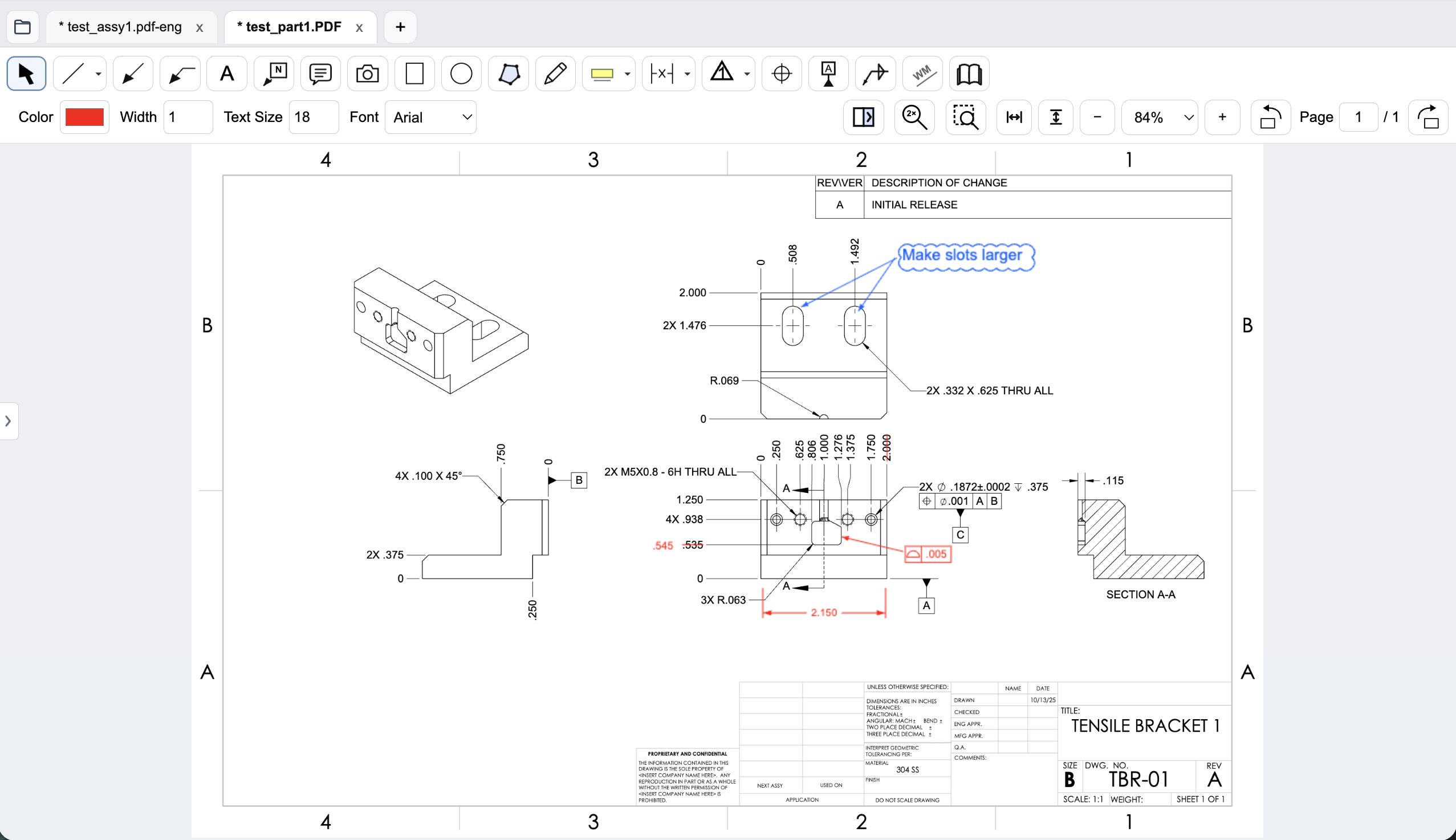
Workflow comparison
| Task | Five Flute | PDF Engineer |
|---|---|---|
| Mechanical callout authoring | Drawing comments, highlights, and sketches in shared reviews; evaluate structured callout requirements in a trial. | Native GD&T feature control frames, datum callouts, BOM balloons, flag notes, weld symbols, and leaders. |
| Changes and approvals | Team lists review owners, change requests, approvals, and progress dashboards. | Create the redline package; route ownership and approvals through your existing process. |
| Drawing and model context | Shared 2D drawing and 3D model reviews, with drawing version comparison. | PDF-first part and assembly drawing review with revision comparison. |
| Processing and sharing | Upload and share drawings for online review; pricing lists access controls and encryption at rest and in transit. | Rendering, markup, review, and export run locally. Internet services handle accounts, subscriptions, updates, and support. |
A general editor can support custom or pasted mechanical marks. We do not treat an unlisted vendor feature as proof that a workflow is impossible.
Both serve engineers, but the unit of work differs
A clear redline answers what needs to change and where. A coordinated review also answers who owns the change, who must approve it, and whether the issue is closed. Those are separate requirements, even when they appear on the same drawing.
Five Flute's drawing workflow includes uploaded reviews, comments, change requests, comparison, and progress tracking. PDF Engineer concentrates on the local annotation package. If your team loses decisions in email, changing the markup toolbar alone will not fix that. If your process already tracks review ownership, a new platform may introduce more change than the annotation problem requires.
Follow one tolerance issue from proposal to closure
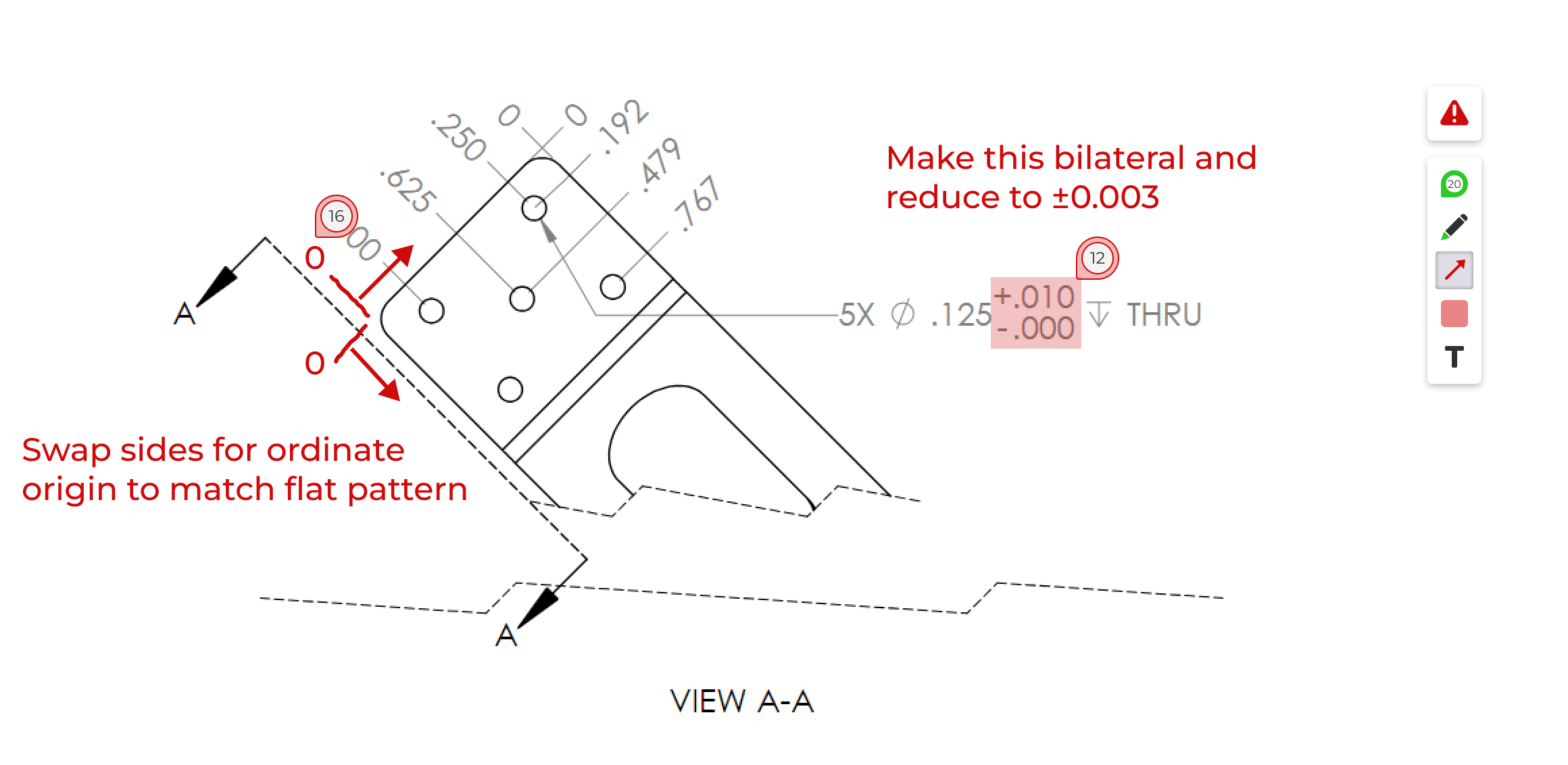
Take a real part drawing and propose a change to the position tolerance. In PDF Engineer, construct the frame, place a leader explaining the inspection concern, save the editable project, and export the PDF for the responsible engineer. Record how your current system assigns and closes that request.
In a Five Flute trial, test how the same feedback becomes a conversation and an owned change. Ask another reviewer to respond, submit the next revision, and confirm closure. This is an evaluation procedure, not a claim that we ran an equivalent benchmark in both applications.
Data location is a deployment decision
Five Flute uses uploaded drawings for shared review and publishes access-control and encryption features on its pricing page. Encryption is useful, but it does not by itself settle hosting, retention, contractual, or supplier-access requirements. Confirm those details for the plan you would deploy.
PDF Engineer processes drawing content locally while using internet services for accounts and licensing. An exported PDF can still be uploaded to your team's approved review platform. The two products can therefore serve different stages of a review, subject to validating the actual handoff.
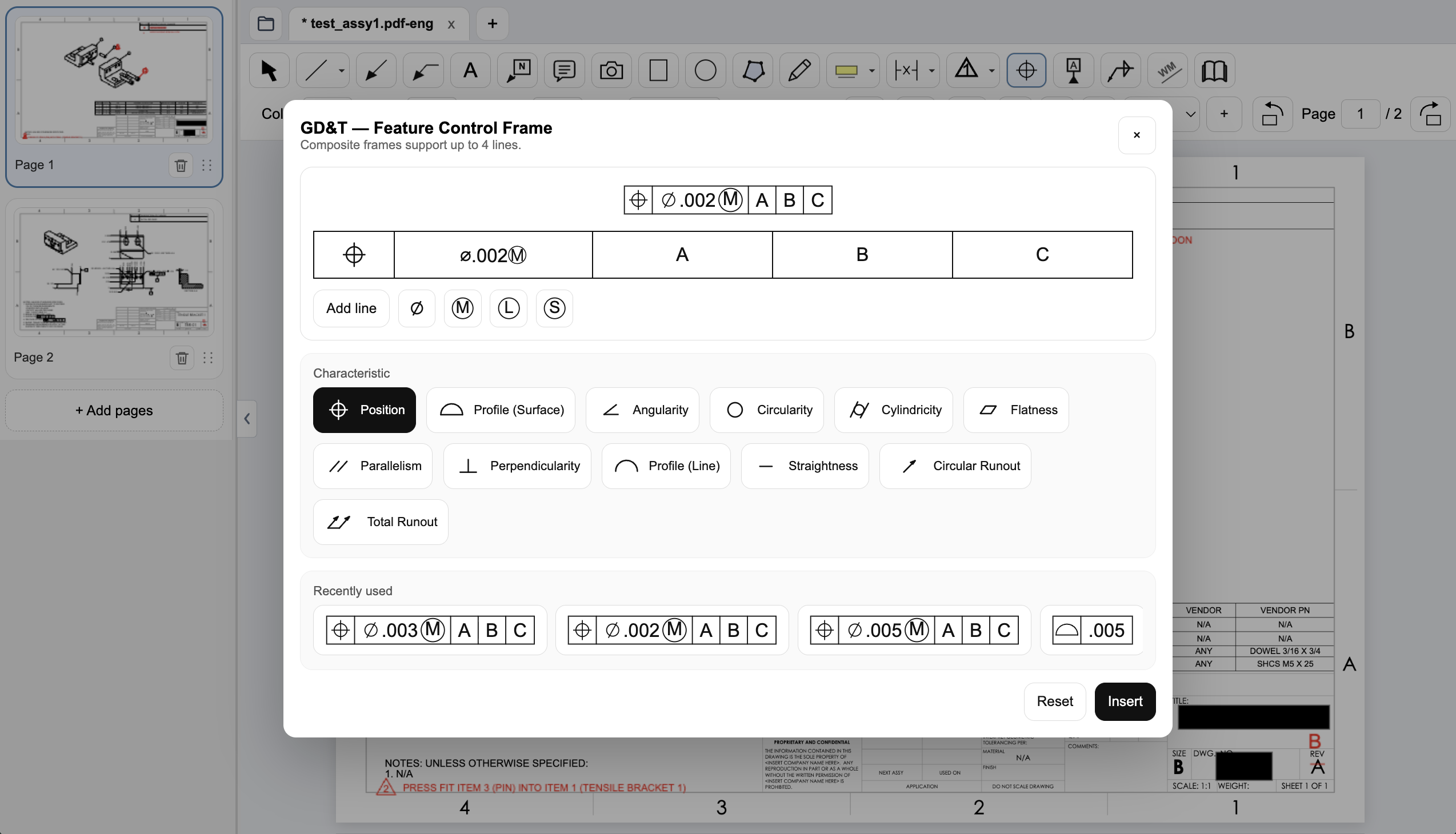
Create a native GD&T feature control frame
Choose the geometric characteristic, enter the tolerance and modifiers, and set the datum references in PDF Engineer’s frame editor. The preview shows the frame before insertion, and recently used frames are available for reuse.
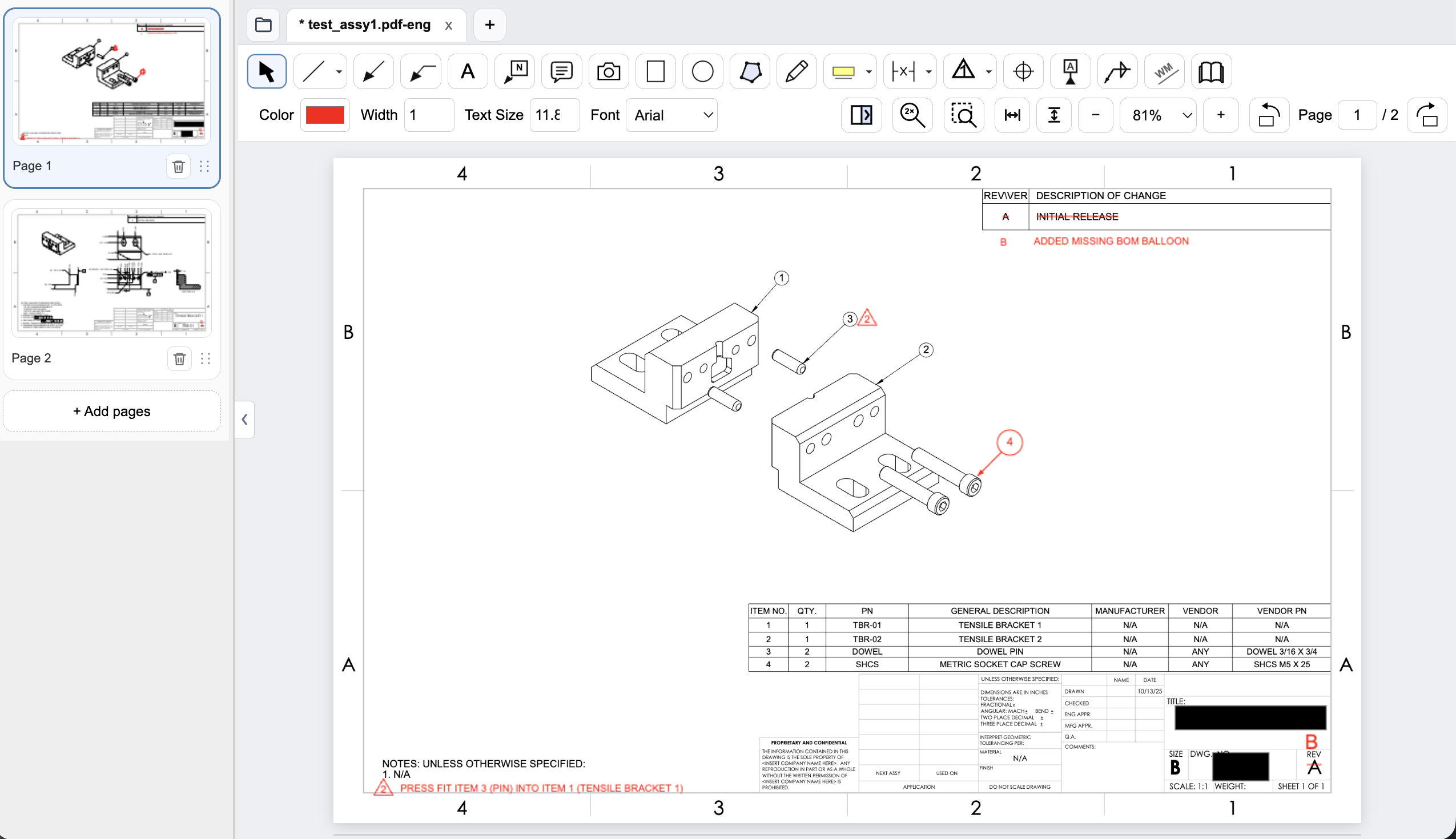
Connect assembly feedback to BOM items and notes
Place an item balloon at the component that needs attention and use a flag note to connect an assembly requirement to the drawing. In this example, the redline adds the missing item 4 balloon and flags a press-fit note for the dowel pin.
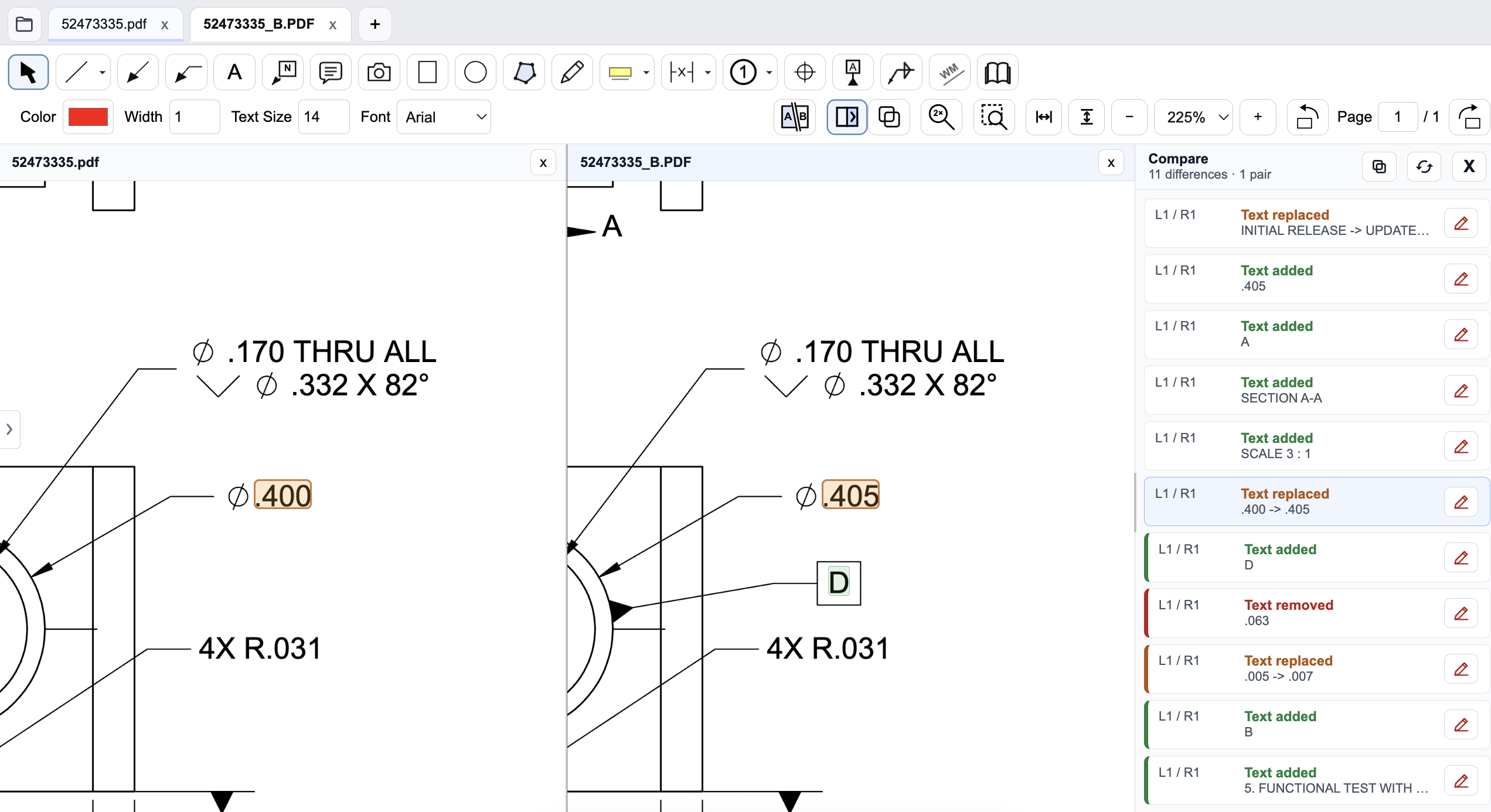
Review a drawing revision in PDF Engineer
Compare the old and new drawings side by side and inspect highlighted changes. The difference list identifies added, removed, and replaced text, helping reviewers find changed dimensions and notes. Review geometry and engineering intent as well; a text-difference list does not complete the drawing review.
Pricing and billing terms
US dollar prices checked October 9, 2026. Per-user list prices; taxes, promotions, and negotiated discounts can change the total.
| Plan | Price | Billing basis |
|---|---|---|
| Five Flute Individual | $10/month | One-user personal workspace; amount as advertised, verify payment terms |
| Five Flute Team | $50/user/month | Shared team workspace; confirm billing and guest arrangements |
| Five Flute Enterprise | Custom quote | Native CAD support and custom integrations according to requirements |
| PDF Engineer Professional | $300/year | $25/month equivalent, billed annually. $29/month with monthly billing. |
Individual and Team solve different coordination needs. Do not compare a personal workspace with a full team approval workflow. Five Flute advertises a 14-day Team trial; PDF Engineer offers a 30-day trial. No annual discount is assumed here.
See the product context
When to choose Five Flute
Choose Five Flute when shared review history, model context, change ownership, and team progress tracking matter more than a dedicated local PDF authoring workflow.
Test the decision on a real drawing
Run a review with two engineers and a supplier: propose a tolerance change, respond to it, deliver the next revision, and close the request. Evaluate both annotation clarity and coordination, including how external reviewers obtain access.
Record the steps required, time spent, readability of the exported marks, and how easily another reviewer understands the request. Keep the same drawing and review tasks for both tools. Save the editable PDF Engineer project before exporting the standard PDF for handoff.
Download PDF Engineer